

Omella Firewall Configuration
For school and district IT administrators.
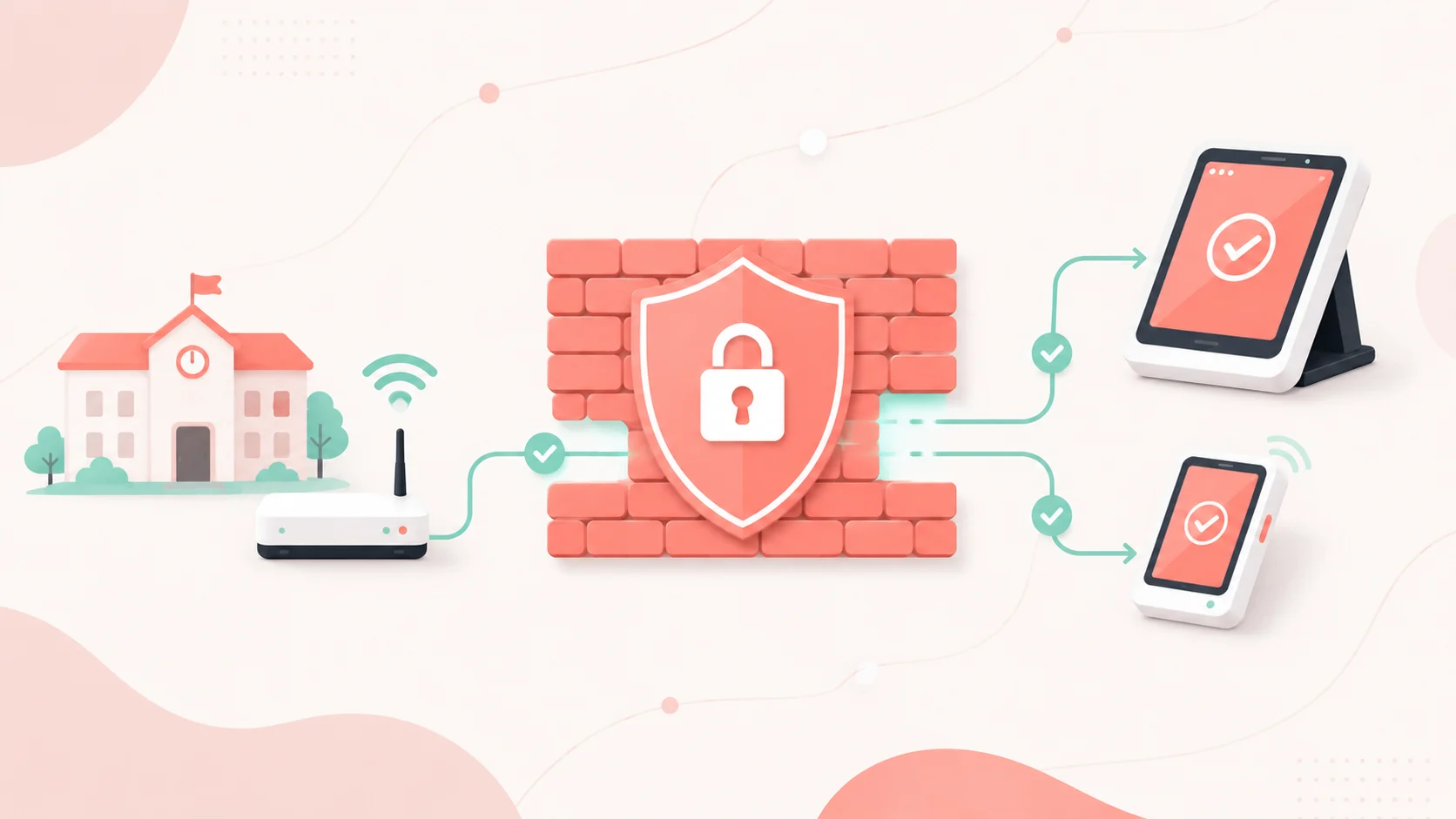
Omella needs outbound HTTPS (TCP 443) to the domains below. There are no inbound rules to open.
Allowlist by domain name, not IP address. The addresses behind these domains change without notice. An IP list will work at first, then fail intermittently.
1. Allowlist
Outbound TCP 443.
# Omella
*.omella.com

# Card payments
*.stripe.com
*.stripecdn.com
*.stripe.network
hcaptcha.com
*.finix.com
forms.finixpymnts.com
*.live-payments-api.com
rki.pax.us:33519
*.pax.us
applepay.cdn-apple.com

# Bank account (ACH) payments
*.plaid.com
*.meld.io

# Bot protection
challenges.cloudflare.com

# Images and file attachments
res.cloudinary.com
*.s3.amazonaws.com

# Support chat and in-app messages
app.atlas.so
*.atlas.so
assets.customer.io
track.customer.io
*.customer.io

# Staff sign-in — whichever your organization uses
accounts.google.com
login.microsoftonline.com
*.okta.com

# Cosmetic and analytics — safe to skip
fonts.googleapis.com
fonts.gstatic.com
www.googletagmanager.com
www.google-analytics.com
*.analytics.google.com
region1.google-analytics.com
Outbound TCP 33519
rki.pax.us
Also allow WebSocket (wss://) to api.omella.com. If your appliance has an Allow WebSocket / HTTP Upgrade setting, enable it.
Why the payment domains. Card details are captured by a secure field served by the processor and sent from the browser straight to them — they never pass through Omella. Blocking these breaks card entry even though Omella itself loads fine. Allowlist all of them: which processor handles a payment depends on your configuration and the payment method, so partial allowlisting fails unpredictably.
Why WebSocket. Omella uses a live connection for form and payment status. Blocked, the page loads but never updates.
Staff sign-in. Omella supports Google, Microsoft Entra (Azure AD), Okta, and generic SAML. Allow the one your organization uses — staff cannot log in without it. If you use Okta, allow your own Okta tenant domain; for generic SAML, allow your identity provider’s domain.
Category filters. Omella may be classified as Financial Services, Payments, or Shopping. Allowlisting these domains overrides the category block. Fonts and analytics are genuinely safe to block: pages fall back to a system font and nothing else changes.
2. Do not TLS-inspect these
Add a decryption bypass for:
*.omella.com
*.finix.com
forms.finixpymnts.com
*.live-payments-api.com
*.plaid.com
*.meld.io
challenges.cloudflare.com
Why. Card readers pin certificates and reject a re-signed one — no reader setting overrides this. Decrypting cardholder traffic also pulls your appliance into PCI scope. Interception additionally breaks WebSocket upgrades and can blank out the card entry field.
3. Card readers
Skip this section if you take payments online only.
How a reader reaches the internet depends on the model:
Omella Handheld Card Reader (A800)
- Connects by: Wi-Fi or 4G LTE
- Needs its own network access: Yes — it joins your Wi-Fi directly
Omella Go Card Reader (D135)
- Connects by: Bluetooth (or USB) to a phone or tablet
- Needs its own network access: No — uses the paired device’s connection
Allow the domains below on whichever network carries the traffic: your Wi-Fi for the Omella Handheld, and the phone or tablet’s network for the Omella Go.
Outbound TCP 443, in addition to Section 1:
*.finixops.com
api.paxstore.us
rki.pax.us:33519
*.pax.us
Outbound TCP 33519, in addition to Section 1:
rki.pax.us
Add *.finixops.com and api.paxstore.us to the TLS bypass list too.
Wi-Fi readers (Omella Handheld)
The A800 is the only reader that joins your network, so these apply to it alone:
- Password-protected Wi-Fi (WPA/WPA2/WPA3). Open and captive-portal guest networks do not work.
- A private IP address (
10.x,172.16–31.x,192.168.x). - DHCP leases and session timeouts of at least a full workday.
- Outbound UDP 123 (NTP) for clock sync.
Recommended: a dedicated staff VLAN with a fixed DHCP reservation per reader. Short DHCP leases are the most common cause of a reader that worked yesterday and fails today. Clock drift causes TLS failures, which is why NTP matters.
Bluetooth readers (Omella GO)
These have no network configuration of their own. Instead:
- The phone or tablet they pair with must reach every domain above, plus Section 1.
- Keep the reader within Bluetooth range of the paired device.
- Avoid 2.4 GHz interference — heavy microwave oven use nearby can disrupt Bluetooth.
- Grant the Omella app Bluetooth permission on the device.
If staff use a guest or student SSID on their phone, apply the same allowlist there — a captive portal will block the reader’s traffic even though Bluetooth pairing succeeds.
Note. api.paxstore.us provisions and updates Finix readers; blocking it stops activation and firmware updates.
4. Email
- Allowlist the Omella sending domain in your mail gateway. Contact support for the exact
Fromand link-tracking domains for your organization. - Do not rewrite links. Safe Links and URL Defense can break one-time payment and signature links.
- Deliver to inbox, not quarantine.
Omella mail is authenticated with SPF, DKIM, and DMARC, so allowlisting the sending domain is sufficient — no IP rules needed. Families on personal email need no action.
5. Troubleshooting
First test: put the device on a cellular hotspot. Works there — the cause is on your network. Fails there too — contact support.
| Symptom | Likely cause | Fix |
|---|---|---|
| Card field is blank or won’t accept input | Payment domains are blocked, or TLS inspection is enabled | Follow Section 1 and add a TLS bypass |
| “Payment could not be processed” | Payment domains are blocked | Follow Section 1 |
| Bank linking fails at the bank login | *.plaid.com, *.meld.io, or the financial institution’s website is blocked |
Allow these domains and financial institution websites |
| The Pay button remains disabled after all card payment information is entered | challenges.cloudflare.com is blocked |
Allow Cloudflare Turnstile |
| Images and logos are missing | res.cloudinary.com is blocked |
Allow Cloudinary |
| Attachment upload fails | *.s3.amazonaws.com is blocked |
Allow Amazon S3 |
| Reader shows “Device unreachable” | Reader domains are blocked, or TLS inspection is enabled | Follow Section 3 and add a TLS bypass |
| New reader won’t activate | api.paxstore.us is blocked |
Allow api.paxstore.us |
| A800 worked yesterday but fails today | The DHCP lease or session timeout is too short | Use a full-workday lease and reserve the reader’s IP address |
| Bluetooth reader pairs, but payments fail | The paired phone or tablet cannot reach the required domains | Apply Sections 1 and 3 to that device’s network |
| Fails only on student or guest Wi-Fi | That SSID uses a different network policy | Apply the allowlist to every applicable SSID |
6. Verify
curl -sS -o /dev/null -w "%{http_code}\n" https://omella.com
curl -sS -o /dev/null -w "%{http_code}\n" https://api.omella.com
curl -sS -o /dev/null -w "%{http_code}\n" https://api.stripe.com
curl -sS -o /dev/null -w "%{http_code}\n" https://js.finix.com
curl -sS -o /dev/null -w "%{http_code}\n" https://res.cloudinary.com
Any HTTP status code means you reached the service. A timeout, refused connection, or TLS error means it is blocked.
Check for TLS interception — the issuer should be a public CA, not your appliance:
echo | openssl s_client -connect api.stripe.com:443 -servername api.stripe.com 2>/dev/null | grep -i issuer
In the browser, press F12 and check the Console and Network tabs. ERR_BLOCKED_BY_CLIENT, ERR_CONNECTION_TIMED_OUT, or ERR_CERT_AUTHORITY_INVALID name the blocked hostname directly.
Readers have a built-in diagnostics screen that tests DNS and connectivity.
7. Contact support
Email help@omella.com with:
- Organization name
- Error message or screenshot
- Hotspot test result
- Affected network/SSID and device type
- Reader model and serial number, for reader issues
- Whether TLS inspection is on
Appendix – exact hostnames
If your firewall does not support wildcards.
Omella
omella.com
www.omella.com
app.omella.com
api.omella.com
Finix and Apple Pay
js.finix.com
forms.finixpymnts.com
finix.live-payments-api.com
applepay.cdn-apple.com
Finix readers
cardpresent-orchestrator-http.prod.finixops.com
activation-amqps.prod.finixops.com
amqps.prod.finixops.com
api.paxstore.us