


ADA-compliant theater seating is coming to Omella. We're building reserved seating that handles wheelchair spaces, companion seats and release rules for you, starting with school and community theaters.
If you direct a school or community theater, you probably think about blocking, costumes and whether the lead will get over their cold by Friday. You probably don't think about federal disability law when you set up ticket sales. Most directors don't, because nobody told them it applies.
It does. The Americans with Disabilities Act (ADA) sets rules for how many wheelchair spaces your house needs, where companion seats go, and how you sell tickets for those seats. Get it right and every family in your community can come see the show. Get it wrong and you can face a complaint, a lawsuit, or a family turned away at the door on opening night.
This guide explains the rules in plain English, shows where ticket sales get tricky, and gives you a checklist you can use before your next show.
The short version
- Your theater needs a set number of wheelchair spaces based on how many seats it has, and at least one companion seat next to each one.
- If you sell assigned seats, people who need accessible seating must be able to buy it the same way, at the same time and for the same price as everyone else, including online.
- A buyer of a wheelchair space can buy up to three more seats in the same row, next to it, when they're available.
- You can only sell accessible seats to the general public once every other seat (in the house, the section or the price level) is sold.
- You can't ask for proof of disability, but you can ask whether the buyer needs the seat's accessible features.
- Public school districts are covered by Title II of the ADA. Community theaters and most private schools are covered by Title III. The ticketing rules are the same for both.
In this guide
- Which ADA rules apply to your theater
- How many wheelchair spaces you need
- The ticketing rules in plain English
- Where ticket sales get hard
- What if your show is general admission?
- Beyond seating: listening systems, communication and your website
- What happens if you get it wrong
- A checklist for your next show
- Overwhelmed? We want to hear from you
Which ADA rules apply to your theater
The ADA has different parts, called titles. Two of them matter for theaters.
- Title II covers state and local government, which includes public school districts. If your theater program belongs to a public school, Title II applies to your auditorium, your shows and your ticket sales. Public schools that receive federal funding are also covered by Section 504 of the Rehabilitation Act, which has similar requirements.
- Title III covers "places of public accommodation," which explicitly includes theaters and other places of entertainment. Most community theaters and private schools fall here. Religious organizations are exempt from Title III, so a theater run by a church may not be covered, though state law can still apply.
The U.S. Department of Justice (DOJ) wrote ticketing rules for both titles, and they're identical: 28 CFR 35.138 for Title II and 28 CFR 36.302(f) for Title III. The DOJ's ticket sales guidance says the rules apply to tickets for assigned seats, for single shows and for season or series tickets.
Many states have their own disability access laws on top of the ADA, and some go further. Check with your district or a local attorney if you're unsure what applies in your state.
How many wheelchair spaces you need
The number of wheelchair spaces comes from the 2010 ADA Standards for Accessible Design (section 221). It's based on the total number of seats in the room, not on how many tickets you've sold.
| Seats in the room | Wheelchair spaces required |
|---|---|
| 4 to 25 | 1 |
| 26 to 50 | 2 |
| 51 to 150 | 4 |
| 151 to 300 | 5 |
| 301 to 500 | 6 |
| 501 to 5,000 | 6, plus 1 for each 150 seats (or part of 150) over 500 |
| 5,001 and up | 36, plus 1 for each 200 seats (or part of 200) over 5,000 |
So a 400-seat school auditorium needs 6 wheelchair spaces. A 650-seat theater needs 7. A 1,000-seat house needs 10.
A few more rules come with those spaces.
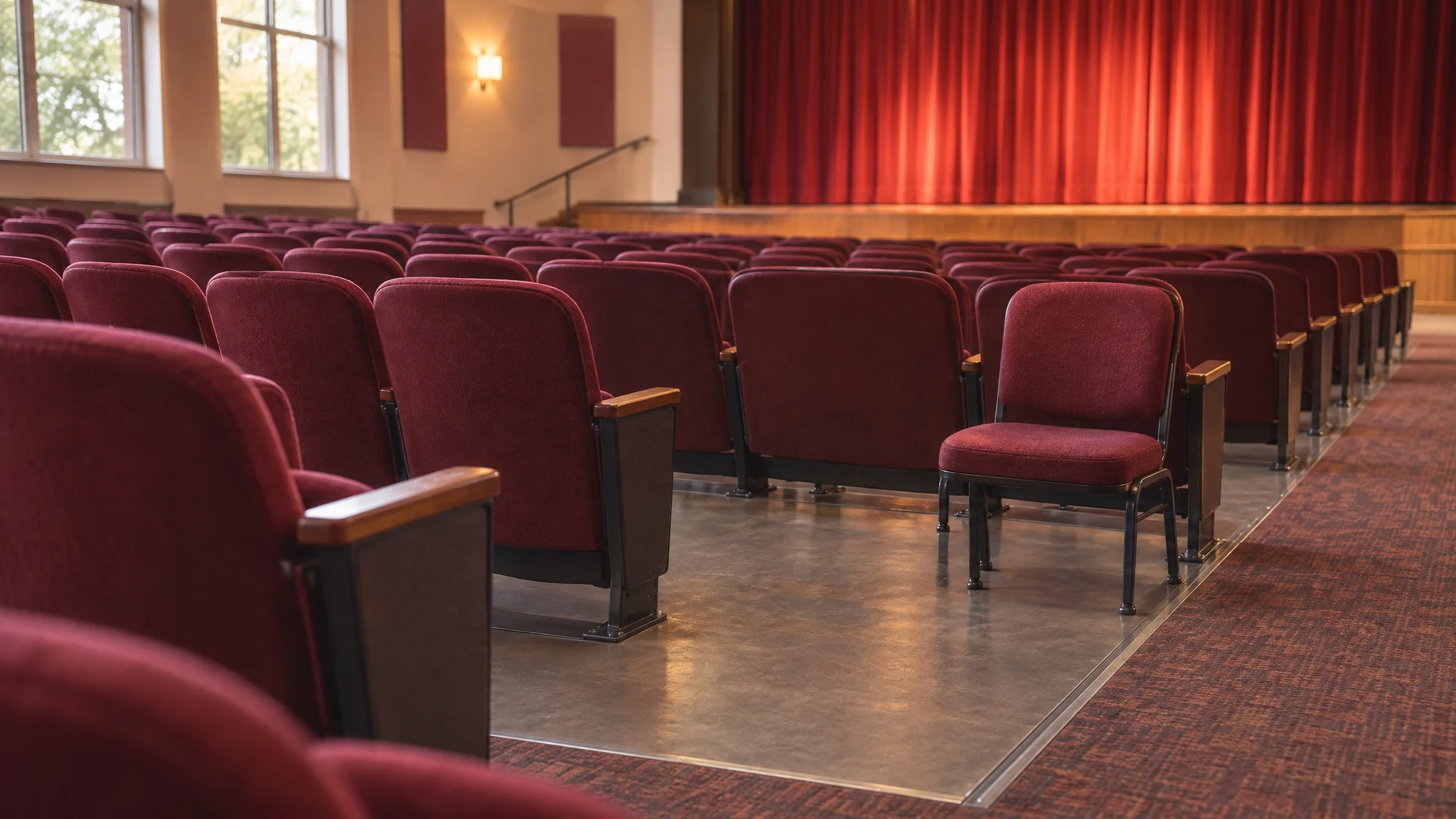
- Companion seats. Each required wheelchair space needs at least one companion seat beside it, on the same floor level, so a friend or family member sits shoulder to shoulder with the wheelchair user. Companion seats can be movable chairs.
- Spread them out. Wheelchair spaces must give people a choice of locations and views that are as good as the choices other audience members get. The DOJ's guidance puts it simply: wheelchair users don't have to get the best seats in the house, but they can't be stuck with the worst. Rooms with 300 or fewer seats have some flexibility here, and two wheelchair spaces can sit side by side in a row.
- Designated aisle seats. At least 5% of aisle seats must have folding or removable armrests, which help people who have trouble getting past other seats. These aren't covered by the ticketing rules below.
These counts are design standards for buildings built or altered after the 2010 Standards took effect. Older buildings still have duties: Title III theaters must remove barriers when it's "readily achievable," and public schools must make their programs accessible. If you're not sure how your room was built, ask your facilities team.
The ticketing rules in plain English
Here's what the DOJ requires when you sell assigned seats, in everyday terms.
- Same way, same time. People who need accessible seating must be able to buy it during the same hours, through the same channels (online, phone, box office, any outside ticket seller) and during the same sale stages (cast and family presales, student presales, general sales, wait lists) as everyone else. "Email us for wheelchair seating" while everyone else buys online in two clicks doesn't meet that bar.
- Same price. You can't charge more for an accessible seat than for other seats in the same section, and that includes service fees. Accessible seats should be available at every price level you sell.
- Same information. If your seating chart shows where seats are, what they cost and what the view is like, it must show accessible seats the same way, with enough detail for someone to decide whether a spot works for them.
- Room for their party. A person buying a wheelchair space can buy up to three more seats in the same row, right next to it, if those seats are open. If they aren't, you offer the closest seats you have. If you limit everyone to fewer than four tickets, the same limit applies to them.
- Groups sit together. If a group includes someone who needs accessible seating, seat the group in an area with accessible seating. If you have to split them, don't leave the wheelchair user on their own.
- Hold accessible seats until the rest are gone. You may sell unsold wheelchair spaces and companion seats to people who don't need them only when every other seat in the house is sold, every other seat in that section is sold, or every other seat at that price level is sold. You're never required to release them.
- Transfers work the same. If you let people give away or resell tickets, people with accessible seating tickets can too, to anyone.
- No proof required. You can't ask for a doctor's note or other proof of disability. For a single show, you may ask whether the buyer (or the person they're buying for) needs the features of an accessible seat. For season tickets, you may ask them to confirm that in writing.
The DOJ also strongly encourages training anyone who sells tickets or ushers, paid or volunteer, so they know these rules.
Where ticket sales get hard
On paper, the rules are reasonable. In a box office run by a director and two parent volunteers, they turn into a lot of manual work. Here's where most of it comes from.
1. Holding seats while the rest of the house sells
Your wheelchair spaces and companion seats have to stay off the general market until the rest of the house, a section or a price level sells out. That means someone has to keep them blocked across every channel, watch sales, and decide when (and whether) to release them. If you sell by section or price level, you have to track sell-outs separately for each one.
2. Companion seats that don't sell
Say a family buys a wheelchair space but no companion seat. That companion seat is still "accessible seating" under the rules, so it stays held like the wheelchair spaces until a release condition is met. Your system has to know the difference between a companion seat that's free to release and one that isn't.
3. Keeping three seats free next to each space
A buyer of a wheelchair space can ask for up to three seats right beside it. If those seats sell to other people first, you have to offer the closest ones left. Every regular sale near a wheelchair space quietly changes what you can offer the next family who needs one.
4. Converting spaces when the show sells out
Some theaters fill unsold wheelchair spaces with removable seats once the rest of the house is sold, which is allowed once a release condition is met. Two side-by-side spaces can often hold extra standard seats, depending on how wide your removable chairs are. That's more seats for a sold-out show, but now your seating chart has to change mid-sale, and someone has to set out the chairs.
5. Keeping every channel in sync
Presales for cast families, a student rush, the website and the table in the lobby all have to offer accessible seating the same way. Keeping the same seats held across all of them, by hand, is how double-booked seats happen.
6. Answering questions without overstepping
You can ask whether a buyer needs an accessible seat's features. You can't ask what their disability is or ask for proof. Your volunteers need to know where that line is.
Most ticketing tools leave much of this to you: you block seats by hand, field emails, and remember to release seats at the right time. Directors end up spending hours on seat maps instead of on the show.
What if your show is general admission?
Many school and community shows sell general admission tickets. The DOJ's ticketing rules are written for assigned seats, but you still need wheelchair spaces and companion seats in the room, and the ADA's broader rule of equal access still applies. A few simple habits help.
- Put a short note on your ticket page explaining where accessible seating is and how to get it, so families don't have to email to find out.
- Mark wheelchair spaces and companion seats clearly and ask ushers to keep them open for people who need them until the house is nearly full.
- Seat each wheelchair user's party next to them, and don't let early arrivals fill companion seats.
- Brief ushers and volunteers on what they can and can't ask.
Beyond seating: listening systems, communication and your website
Assistive listening systems
If your theater uses a sound system, you need an assistive listening system and a minimum number of receivers (section 219 of the 2010 Standards). At least 25% of receivers, and never fewer than two, must work with hearing aids.
| Seats in the room | Receivers required | Hearing-aid compatible |
|---|---|---|
| 50 or fewer | 2 | 2 |
| 51 to 200 | 2, plus 1 per 25 seats over 50 | 2 |
| 201 to 500 | 2, plus 1 per 25 seats over 50 | 1 per 4 receivers |
| 501 to 1,000 | 20, plus 1 per 33 seats over 500 | 1 per 4 receivers |
| 1,001 to 2,000 | 35, plus 1 per 50 seats over 1,000 | 1 per 4 receivers |
Post a sign saying they're available, and make sure someone knows where they are on show night.
Effective communication
Theaters must communicate effectively with people who are deaf, hard of hearing, blind or have low vision. In practice, that can mean arranging a sign language interpreter or captioning on request, and offering programs in accessible formats. Tell people how to ask, and how far ahead.
Your ticketing website
Public school districts have a new deadline to know about. A DOJ rule requires state and local governments, including school districts, to make their websites and mobile apps meet WCAG 2.1 Level AA, including content provided through outside vendors such as ticketing tools. After a one-year extension in April 2026, the deadlines are April 26, 2027 for entities serving 50,000 or more people and April 26, 2028 for smaller ones and special districts (ADA.gov). If people buy show tickets on a site your district provides, that ticket page needs to work with a screen reader and a keyboard.
What happens if you get it wrong
Nobody wants to be on the wrong side of a disability rights complaint, especially over a school musical. Here's what can happen.
- Community theaters and private schools (Title III). A person can sue to make you fix the problem and can recover their attorney's fees. The DOJ can also investigate and sue. In those cases a court can award money damages to the people affected and civil penalties of up to $118,225 for a first violation and $236,451 for later violations, as adjusted in 2025 (28 CFR 85.5).
- Public schools (Title II and Section 504). People can file complaints with the DOJ or the U.S. Department of Education's Office for Civil Rights, and they can sue. Remedies can include orders to change your practices and, in some cases, money damages. Federal funding can come into play under Section 504.
- State law. Some states allow money damages for each violation on top of federal law.
Enforcement usually means changing how you sell. A DOJ settlement with the Cleveland Cavaliers' arena, for example, required changes to its wheelchair spaces, its ticketing policies and the information its ticket vendor gives buyers. That's far more work than getting it right up front. And the biggest cost isn't legal at all: it's a grandparent who can't see their grandchild's first show.
This guide is general information, not legal advice. For a specific situation, talk with your district's counsel or an attorney who knows disability law.
A checklist for your next show
- Count your seats and spaces. Confirm how many wheelchair spaces and companion seats your room has, and compare that with the table above.
- Mark them on your seating chart. Show accessible seats with the same detail as every other seat.
- Put them on sale everywhere. Make accessible seats available online, at the box office and in every presale, at the same prices.
- Write down your hold and release policy. Decide whether you'll release unsold accessible seats, and only when the house, a section or a price level is sold out.
- Plan for companions. Keep the seats next to each wheelchair space available for that buyer's party, and treat companion seats as accessible seating.
- Add one question, not a form. Ask buyers of accessible seats whether they need the seat's accessible features. Don't ask for proof.
- Tell people how to get help. List accessible seating, assistive listening and how to request an interpreter or captions on your ticket page.
- Brief your volunteers. Walk box office and usher volunteers through these rules before opening night.
- Check your ticket page. Try buying a ticket with only a keyboard. If you can't, neither can some of your audience.